
Project Online to Project Server Migration Services
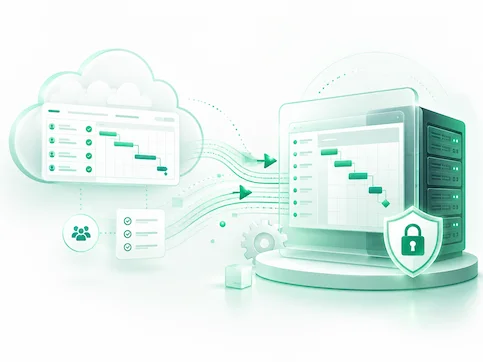
Move from Microsoft Project Online and Project Web App (PWA) to Project Server Subscription Edition with expert migration planning and support. With Project Online retiring on September 30, 2026, Bsuite365 helps assess your current environment, define what can be migrated, rebuilt, archived, or redesigned, and validate the new platform before go-live.

TRUSTED BY


Direct Answer
Microsoft Project Online is being retired on September 30, 2026. Organizations using Project Web App / PWA should review their project schedules, custom fields, resources, workflows, reports, permissions, and integrations before choosing a replacement. For teams that need a familiar PWA-style experience, Project Server Subscription Edition can be a strong migration path. For teams that want a modern Microsoft 365 and Teams-first experience, Planner Premium, Power Platform, or a hybrid model may be a better option.
What Is a Project Online to Project Server SE Migration?
Project Online to Project Server Subscription Edition migration is the process of assessing an existing Project Online / PWA environment, identifying projects, resources, custom fields, workflows, reports, project sites, permissions, and integrations, and moving or rebuilding the required components in a new Project Server SE environment.
This is not a direct upgrade or one-click Microsoft migration. It usually requires a combination of schedule export/import, configuration mapping, third-party migration tooling, reporting rebuilds, workflow redesign, and validation.
Some Project Online / PWA demand-management workflows may depend on SharePoint 2013 workflow technology, which Microsoft retired in SharePoint Online on April 2, 2026. These workflows should be reviewed early because they may need to be rebuilt in Power Automate or redesigned using another supported workflow solution.
Our Clients





























































Migration Support Includes
Our migration services cover the key areas needed for a successful transition from Project Online to Project Server Subscription Edition.
-

We review your current Project Online setup and define a practical migration path.
-
We help plan and configure the Project Server SE environment.
-
We assess infrastructure, hosting, authentication, database, and security needs.
-
We review reports, dashboards, data models, and reporting connections.
-
We support testing, validation, go-live, and post-migration issue resolution.


Why Organizations Are Migrating from Project Online
Organizations are migrating from Project Online for several important reasons:
Project Online Retirement
Microsoft Project Online is scheduled to retire on September 30, 2026, creating a deadline for organizations to plan their next steps.
Risk Reduction
Delaying migration can increase risks related to data access, reporting continuity, user adoption, and project delivery timelines.
Opportunity to Modernize
Migration provides an opportunity to clean up outdated configurations and evaluate modern alternatives such as Planner Premium or Power Platform solutions.
Reporting and Data Continuity
Project Online often supports Power BI dashboards, reports, and executive reporting. Migration planning helps ensure continued access to historical data.
Infrastructure Planning Requirements
Organizations choosing Project Server Subscription Edition need time to prepare supporting infrastructure and licensing such as SharePoint Server Subscription Edition Enterprise.
Business-Critical Project Management Processes
Many organizations use Project Online and Project Web App (PWA) for governance processes that must continue without disruption.
Project Server SE vs Planner Premium / Power Platform
Project Server Subscription Edition suits organizations that want a familiar Project Web App experience. However, Planner Premium is not a direct PWA replacement. It should be assessed carefully where organizations depend on enterprise resource management.
Choose Project Server SE If You Need
VS
Consider Planner Premium / Power Platform If You Need

What Can Be Included in a Project Online to Project Server Migration?
A Project Online migration can include more than project schedules.
What Does Not Migrate Automatically?
We take a comprehensive approach, carefully considering every component to ensure it is appropriately aligned for optimal performance in the new environment.
OData-based Power BI reports
Reports built in Project Online using OData connections often depend on specific data structures. As a result, these reports typically need to be redesigned to align with the new reporting architecture.
Some workflows
Complex workflows are often tightly integrated with Project Online features. These workflows may not transfer directly and usually require rebuilding.
Custom integrations
Integrations with systems are often customized to the Project Online environment. These connections may break or behave differently after migration.
Permission models
Security configurations are structured differently across environments. These settings rarely migrate cleanly and must be reviewed and validated.
Project sites and SharePoint customization
Project sites often contain custom SharePoint components that are deeply embedded in the existing environment. Migrating these elements requires separate planning.
Historical and archived data
Older or completed projects may not need to be fully migrated into the new system. Instead, organizations often choose to retain this data for reporting purposes.
Custom reporting datasets
Custom-built reporting elements are typically tailored to Project Online’s data schema. These components often need to be rebuilt to align with the data structures.
Third-party add-ins
Add-ins and extensions used in Project Online may not be compatible with Project Server SE. Each add-in must be evaluated to determine whether it can be supported.
Our Project Online to Project Server Migration Process
Our migration process is designed to reduce risk, protect critical project data, and give business and technical stakeholders a clear path from planning to go-live. This should be treated as a platform transition, not a simple upgrade
Discovery and Environment Inventory
We review your Project Online and PWA environment, including project count, active and archived projects, custom fields, workflows, reports, project sites, permissions, integrations, and data volume.
Migration Strategy and Platform Recommendation
We confirm whether Project Server Subscription Edition, Planner Premium, Microsoft Power Platform, or a hybrid model is the best fit for your organization. This avoids forcing a migration path.
Target Architecture Design
We design the technical foundation for the new system, including servers, SharePoint, SQL Server, authentication, security, backups, and support responsibilities.
Data Mapping and Migration Planning
We define what will be migrated, transformed, archived, rebuilt, or excluded. This includes project schedules, enterprise custom fields, lookup tables, resources, permissions, and SharePoint project site content.
Pilot Migration
We migrate a sample set of projects and validate key areas such as schedules, resources, custom fields, permissions, reports, and project sites. Pilot testing helps find issues before production cutover.
Validation and User Acceptance Testing
We help confirm data accuracy, reporting continuity, user access, performance, and usability. This gives project managers, resource managers, and administrators confidence before go-live.
Post-Migration Validation Checklist
Before production cutover, the migrated environment should be validated by both technical and business users. This helps confirm that the new system is accurate, usable, secure, and ready for daily project management operations.
Production Cutover
We support the final migration, go-live process, issue resolution, and cutover coordination. The goal is to reduce disruption and help users continue working with minimal confusion.
Training and Post-Migration Support
We provide practical training for administrators, project managers, and reporting users. We can also prepare documentation, validation checklists, and post-migration support plans.
Manual vs Automated Project Online to Project Server Migration
The right migration approach depends on the size, complexity, and business importance of your Project Online environment.
Manual MPP export/import
✔ Best for
Small number of simple projects
⚠ Limitations
Does not fully handle complex PWA configuration, workflows, reporting, permissions, or project sites.
Tool-assisted migration
✔ Best for
Larger or more complex Project Online environments
⚠ Limitations
Requires technical planning, validation, governance, and careful testing.
Hybrid migration
✔ Best for
Organizations that want to clean up or modernize during migration
⚠ Limitations
Requires more discovery, stakeholder alignment, and migration decision-making.
Project Server Subscription Edition Hosting Options
Project Server Subscription Edition gives organizations more control over infrastructure and data, but it also requires proper planning and administration.
Technical Dependencies to Plan
A successful Project Server Subscription Edition environment requires licensing and long-term administration responsibilities before migration. Itmay require planning for:
Windows Server
Server operating system requirements must be reviewed before deployment.
Backup and disaster recovery
Project data and reporting assets need a recovery plan.

Monitoring and maintenance
Updates, performance, storage, and service health need ongoing management.

SharePoint Server Subscription Edition Enterprise
Project Server SE is connected to SharePoint Server Subscription Edition Enterprise.

Authentication / Microsoft Entra ID planning
Authentication and identity planning, including Active Directory, SharePoint claims authentication and hybrid identity.
SQL Server and reporting components
Project Server databases and reporting depend on SQL Server planning. OLAP, Cube Building Service, or Portfolio Analysis may require additional SQL Server and SharePoint configuration.
When Project Server SE Is a Good Fit — and When It Is Not
A trustworthy migration plan should explain both sides. Project Server SE can be a strong option, but it is not always the best replacement for every Project Online customer.
| Good Fit for Project Server SE | Better Alternative May Be |
|---|---|
| You need a familiar PWA-style experience. | You want a modern Teams-first experience. |
| You rely on Project Desktop for detailed scheduling. | Your projects are simpler and task-based. |
| You need enterprise resource management. | You mainly need collaboration and basic timelines. |
| You need infrastructure and data control. | You prefer SaaS with less infrastructure management. |
| You have complex PWA workflows and reporting. | You are open to rebuilding on Power Platform. |
| You need structured PMO governance. | You want lighter work management. |
What You Receive from Our Migration Service
Our Project Online to Project Server migration service gives your team clear deliverables, practical recommendations, and technical support from assessment through cutover.
Why Choose Bsuite365 for Project Online to Project Server Migration?
We help organizations work with Microsoft 365, SharePoint, Power Platform, Excel, Power BI, SQL Server, workflow automation, and custom business applications.
Microsoft 365 and SharePoint Experience
Power Platform and Workflow Automation Knowledge
We can help modernize approvals, notifications, and business processes using Power Platform tools.
