
Microsoft Access Migration Services
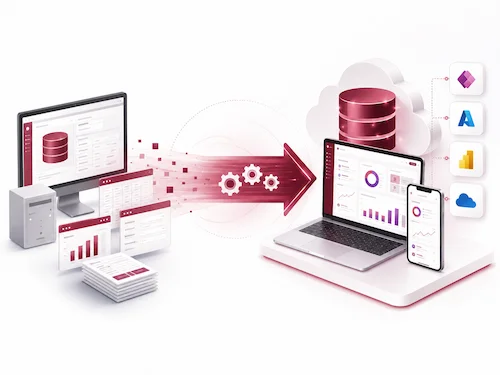
Modernize your Microsoft Access database before performance, security, or reliability issues disrupt your business. We help organizations migrate legacy Access databases to SQL Server, Azure SQL, Power Apps, Dataverse, or custom web applications. Access migration is not only about moving tables. Many Access systems contain years of business logic inside forms, reports, queries, and macros. Our migration process reviews the full application environment so your data, logic, reporting, and user experience are handled together.

TRUSTED BY



Is Your Microsoft Access Database Reaching Its Limits?
As your data grows and more people rely on your systems, Microsoft Access can start to show its limitations. If you’re experiencing any of the challenges below, it may be time to consider a more scalable and secure solution.
Our Microsoft Access Migration Solutions
As your systems evolve, simply maintaining your existing Access database isn’t enough, and you need a stronger foundation. We ensure a seamless transition from Access to enterprise-grade platforms.
Access Backend Upgrade / Split Database Modernization
Best for organizations that want to keep their familiar Access interface while moving data to a more reliable server-based backend.
Access to SQL Server Migration
Best for organizations that want to keep their existing Access front end but need a more stable, scalable backend.
Access to Azure SQL Migration
Access to Azure SQL is ideal when the data backend needs to move to the cloud, but the front end may still need to be updated
Access to Power Apps Migration
Access to Power Apps migration is best for organizations that want to rebuild key forms and workflows into modern web and mobile apps.
Access to Dataverse Migration
Best for Microsoft 365 and Power Platform environments that need governed cloud data, role-based security, Power Apps integration, Power Automate workflows, and centralized data management.
Access to Custom Web Application
Best for companies that need a complete replacement for Access with modern workflows, user roles, dashboards, and integrations.
Hybrid Access Migration
Best for reducing risk by modernizing in phases while keeping parts of the existing system active.
Report Modernization
We assess existing Access reports and recommend whether they should remain in Access, be rebuilt in Power BI, converted into web-based reports, or redesigned as operational dashboards.
Our Clients






































































Who This Service Is For
This service is a good fit for organizations that use Microsoft Access for daily business operations but are starting to face limits with performance, security, reporting, or collaboration.
Operations Tracking
For teams that use Access to manage daily tasks, internal processes, job tracking, service records, or operational checklists.
Reporting Databases
For organizations that rely on Access reports, queries, dashboards, exports, or Excel-based reporting workflows.
Scheduling Systems
For teams using Access to manage appointments, staff schedules, project timelines, booking records, or recurring activities.
Inventory Management
For businesses tracking products, equipment, materials, stock levels, orders, suppliers, or warehouse activity in Access.
Customer Records
For companies using Access as a lightweight CRM to manage customers, contacts, service history, communications, or account records.
Project Tracking
For teams managing project status, tasks, deadlines, documents, budgets, resources, or approvals through Access.
Compliance Workflows
For organizations that use Access to track forms, inspections, audit records, approvals, documentation, or compliance-related activities.
Internal Business Applications
For businesses that have built custom Access forms, reports, macros, VBA logic, and workflows that now need better stability or scalability.
VBA (Visual Basic for Applications) VS Office Scripts (TypeScript-based)
| Current Situation | Recommended Option | Best For | Notes |
|---|---|---|---|
| Access works but is slow with multiple users | SQL Server backend | Stability and performance | Keeps Access front end if needed |
| Need cloud access and backups | Azure SQL | Remote teams and cloud-first organizations | May require front-end updates |
| Need web/mobile forms quickly | Power Apps | Microsoft 365 users | Good for workflow modernization |
| Access app is outdated and hard to maintain | Custom web app | Full replacement | Best long-term option |
| Cannot migrate all at once | Hybrid model | Lower-risk phased migration | Useful for complex systems |
What You Gain
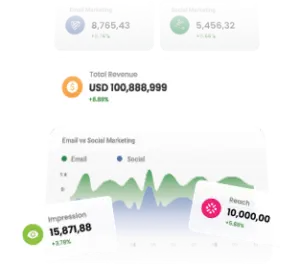
By moving to a more robust platform, you unlock performance, reliability, and flexibility that directly support growth and efficiency.
Platforms and Tools We Support
We combine database engineering, cloud services, and application development tools to deliver the best solutions tailored to your environment.
-

We work directly with existing Access databases, including legacy MDB and newer ACCDB formats, ensuring all data structures, relationships, and logic are fully understood and preserved during migration.
-

SQL Server, including legacy and current environments, depending on compatibility and project requirements.
-

For cloud-based solutions, we leverage Azure SQL to deliver high availability, automated maintenance, and scalable compute/storage options — reducing infrastructure overhead while improving reliability.
-

We use Power Apps to rapidly modernize user interfaces connected to more robust databases, enabling web and mobile access while integrating seamlessly with the Microsoft ecosystem.
-

Used for structured data migration, cleansing, and validation so your records are accurately moved from Access into the new system.
-

For full application redevelopment, we build modern, scalable web applications using .NET and ASP.NET Core, providing a future-proof and high-performance foundation.
-

We design and implement RESTful APIs to enable seamless communication between systems, making it easier to integrate your database with other applications and services.
-

We connect your modernized database to Power BI for advanced reporting and analytics, turning your data into actionable insights through interactive dashboards.
-

Where needed, we maintain or configure ODBC connections and linked tables to support hybrid environments and ensure smooth interoperability between Access and newer platforms.
Our Structured Migration Process
We follow a structured, low-risk migration methodology designed to ensure accuracy, minimize downtime, and deliver a smooth transition from Microsoft Access to modern platforms.
-
1/8 - Assessment & Audit
We begin by thoroughly analyzing your existing Access environment. This includes a complete database health check, mapping all dependencies between tables, queries, and forms.
-
2/8- Architecture Design
We review tables, relationships, queries, forms, reports, macros, VBA modules, linked tables, external data connections, user workflows, and dependency points such as Excel exports, shared drives, Outlook automation, or third-party components.
-
3/8 - — Architecture Design
Next, we design the target system architecture based on your business needs. This involves selecting the most suitable platform. We plan a normalized and scalable database schema.
-
4/8 - Data Migration & Conversion
We migrate your data with precision using structured transformation processes. This includes cleaning and transforming legacy data and validating integrity throughout the migration.
-
5/8- Application & UI Modernization
We modernize the user-facing components of your system by redesigning forms, rebuilding workflows for efficiency, and enhancing reporting capabilities to improve usability and performance.
-
6/8 - Testing & Validation
Before deployment, we conduct rigorous testing, including functional QA to ensure everything works as expected, and load testing to verify performance under stress.
-
7/8 - Deployment & Go-Live
We execute a controlled system cutover to minimize disruption. This includes secure backups, rollback safeguards in case of issues, and structured user onboarding.
-
8/8 -Post-Migration Support
After go-live, we provide ongoing monitoring, performance tuning, and continuous optimization to ensure the system remains stable, efficient, and aligned with evolving business needs.
Risk Mitigation & Data Security
Data migration from Microsoft Access requires careful planning to avoid disruption and protect critical business information.
Backup-first migration strategy
Before any migration begins, we create verified backups of your Access database. This ensures a complete restore point is always available in case of unexpected issues.
Rollback planning
We design every migration with a clear rollback plan, allowing systems to be quickly reverted to their original state if needed. This minimizes risk and ensures business continuity.
Data encryption during transfer
Where applicable, we configure secure transfer methods, encrypted connections, and controlled access during migration to protect sensitive data.
Minimal downtime cutover
We carefully plan the final migration cutover to minimize downtime and reduce disruption. This allows your team to continue working with minimal interruption while the new system is validated.
Test migration before go-live
We perform test migrations before the final cutover so data issues, broken queries, missing relationships, or workflow gaps can be identified before users depend on the new system.
Version control & documentation
Every step of the migration process is documented and version-controlled, ensuring full traceability. This makes future maintenance easier and improves transparency.
Example Migration Scenarios
These examples highlight how organizations modernized their Microsoft Access systems to improve performance, accessibility, and reliability across different industries and use cases.
Manufacturing Firm
Migrated Access to SQL Server
In a similar manufacturing environment, migrating the backend to SQL Server can significantly reduce query delays, locking conflicts, and file corruption risk.
Healthcare Administration System
Access → Azure SQL
A healthcare administration team needed better remote access and stronger data protection. By moving to Azure SQL, they gained secure cloud-based access for distributed teams and implemented automated compliance backups. This improved both regulatory compliance and system reliability while enabling secure access from multiple locations.
Operations Tracking System
Access → Power Apps
An operations tracking system was modernized using Power Apps connected to a more modern database to replace a desktop-bound Access interface. The new solution provided full web and mobile accessibility, allowing users to update and monitor data in real time from any device. This resulted in a more streamlined, intuitive user experience and improved day-to-day productivity.
Pricing & Engagement Models
We offer clear entry points and adaptable engagement options that ensure you receive maximum value at every stage of your AI journey. We help clients estimate licensing needs and optimize capacity usage.
what our clients say about BSuite365?

I have been working with BSuite365 team on various projects over the last 4 years. It started with a complex mathematical problem and a simple spreadsheet. Their team always surprises me with their skills and passion for their work. They really work hard to ensure projects meet the business criteria and solve the business problems they need to. I will continue working with them to improve the business systems of our company.

Working with Sajad and his team at BSuite365 has been an easy and pleasant experience. The solution they built for us will save us dozens of hours of labour costs several times a year and has been well worth what we paid. I can easily recommend them and will not hesitate to work with them again in the future.

Sajad and his team have been extremely helpful in meeting our website needs. They listen to what your vision is and not only work around it, but help to flesh it out. I would highly recommend Sajad and BSuite365 to anyone with Technology needs.

At Persephone Brewing we utilize a number of systems to manage and report our data. BSuite365 System helped us streamline these processes by automating several business processes using our existing data sets saving us hundreds of hours a year at a very reasonable cost.
