
Excel Reporting Services
Excel reporting services are a set of solutions that transform raw spreadsheets into automated, reliable, and easy-to-use reporting systems. We specialize in turning Excel into a modern reporting engine that works for your team, not against it. By combining dashboards, Power Query pipelines, macros, and Power BI integrations, we reduce manual reporting work and set up refresh workflows.


TRUSTED BY


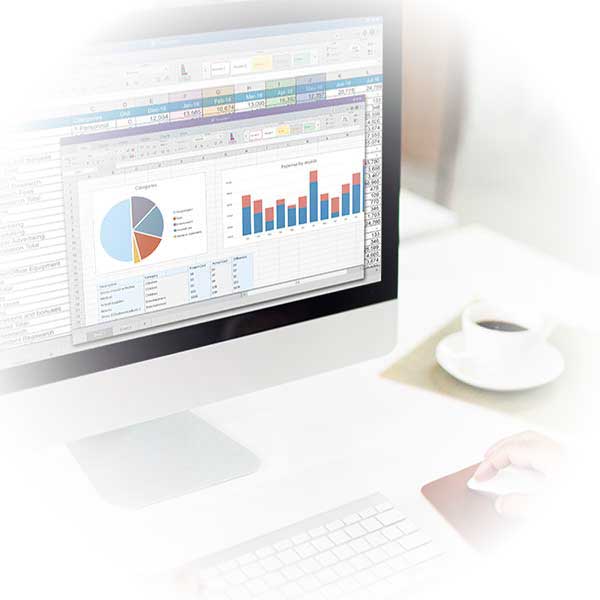
What are Excel Reporting Services?
Excel Reporting Services help businesses design, automate, and maintain Excel-based reporting systems. These services may include dashboard development, Power Query data preparation, VBA automation, PivotTable reporting, scheduled refresh planning, Power BI integration, and report standardization.
What We Offer
We turn Excel into a modern, automated reporting system that eliminates repetitive work, reduces errors, and gives you faster, clearer insights.
Custom Excel Dashboards
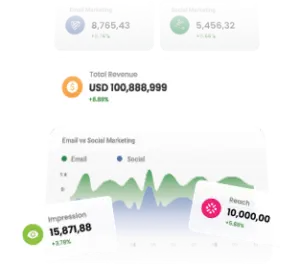
We design dashboards that turn raw spreadsheets into clear, interactive visuals. Instead of sifting through endless rows and columns, your team can track KPIs, drill into details, and view insights in a clean, executive-ready format.
Automated Data Pipelines (Power Query)
Data consolidation is often the most time-consuming part of reporting. With Power Query, we build repeatable data-preparation workflows that connect to supported sources such as databases, cloud apps, or APIs and transform that data into clean, structured tables.

VBA & Macro Automation
Repetitive reporting tasks can waste countless hours every week. We create VBA scripts and macros that automate formatting, report consolidation, and routine processes. These solutions free your team from manual busywork.

Power BI Dashboards & Integrations
When Excel isn’t enough, we extend your reporting into Power BI. By connecting live data sources and creating interactive visuals, we give you a centralized hub for analytics that updates. These dashboards can be securely shared across your team.

Template Standardization
Disorganized templates often lead to inconsistent results across teams. We standardize your reporting templates so every department works from the same structure. This improves collaboration and reduces confusion.

Scheduled Refresh & Report Distribution
We configure refresh and report distribution where technically supported. Depending on your environment, this may use Excel refresh settings, Power Query, Power BI scheduled refresh, Power Automate, or approved desktop automation.

Training & Ongoing Support
Technology alone isn’t enough — your team needs to feel confident using it. We provide training sessions tailored to different skill levels, along with documentation and video guides. We also offer ongoing support to troubleshoot issues.
Our Clients












































































Who This Service Is For
Our Excel Reporting Services are ideal for finance teams, operations managers, sales teams, HR departments, project teams, and business owners who rely on recurring Excel reports but want to reduce manual updates, copy-paste work, formula errors, and inconsistent reporting formats.

Request an Excel Reporting Automation Review
Share your current report, data sources, and reporting schedule. We’ll review the workflow and identify automation opportunities. When data volume, governance, permissions, or refresh complexity outgrow Excel, we recommend a database-backed or Power BI-centered architecture.
We help determine when Excel is the right reporting tool and when Power BI, SharePoint Lists, Dataverse, SQL, or a data warehouse would be more reliable. The goal is not to force every report into Excel, but to choose the right architecture for the data volume, users, refresh needs, and security requirements.
Common Excel Reporting Problems We Solve
If your team relies on Excel for reporting, you’ve likely run into a few recurring challenges that slow things down and create unnecessary risk.
-

Reports that take hours or days to compile due to inefficient processes, delaying decision-making and reducing productivity.
-

Repetitive manual data transfers that increase the risk of human error and make reports difficult to maintain.
-

Complex or fragile formulas that frequently break, leading to incorrect outputs and time-consuming troubleshooting.
-

Dashboards that display conflicting or outdated information, making it hard to trust the data.
-

Multiple files that don’t sync properly, causing version control issues and fragmented reporting.
-

Data refresh processes that fail or require manual intervention, resulting in outdated or incomplete reports.

Without Us
Here are the most common challenges teams face when relying on manual Excel workflows:
With Us
When your reporting is automated and standardized, you gain back time, accuracy, and confidence in every decision. Here’s what your business looks like with our solutions in place:
Automated data refresh & scheduled reports
Instead of manually pulling numbers, your reports update automatically on a set schedule. Stakeholders always have the latest data at hand — daily, weekly, or monthly — without anyone lifting a finger.
Audited, documented, error-resistant templates
We build robust templates with clear logic, checks, and documentation. This reduces the risk of broken formulas and ensures anyone on the team can understand and maintain the reports.
Branded, standardized reports
Your dashboards and exports follow consistent design and branding, so every report looks polished and professional. Standardization also makes it easier for teams to interpret data across departments.
Live dashboards with slicers & KPIs
Static spreadsheets become interactive dashboards where users can filter, drill down, and track KPIs using refreshed data. This puts insights directly in the hands of decision-makers, speeding up analysis and action.
Clear documentation & team training
We don’t just deliver systems — we make sure your team knows how to use them. With training, guides, and ongoing support, reporting know-how is shared, not siloed, so your business stays self-sufficient.
Why Choose Us
Our team specializes in Excel, VBA, Power Query, Power BI, Microsoft 365, SharePoint, and database-driven reporting solutions. We help clients modernize their spreadsheets while ensuring users remain comfortable with familiar Excel-based workflows.
Our experience includes projects such as automating monthly financial reports, building sales dashboards, consolidating data with Power Query, transitioning Excel reports to Power BI, and developing VBA-driven reporting tools.

Our Proven Process
We follow a structured process that ensures your reporting system is tailored, reliable, and scalable.

Audit

Design

Build

Train

Support
Example Use Cases
Our solutions are flexible and can be applied across functions, departments, and industries. Here are some of the most common reporting challenges we solve for clients:
Tools & Integrations
We combine the best of Excel, Power BI, and modern data integrations to build reporting systems that are both powerful and easy to maintain.
Pricing & Packages
Every package is designed to remove manual work, standardize reporting, and deliver decision-ready dashboards fast.
| Package | Best for | What’s included (at a glance) | From |
|---|---|---|---|
| Starter | Small teams | 1 custom Excel dashboard + 1 standardized template | $1,500 |
| Growth | Mid-size orgs | Power Query pipelines + VBA automations + scheduled exports | $3,500 |
| Enterprise | Complex data | Power BI dashboards, database/API integrations, governance | $7,500+ |
| Support | Ongoing needs | Monthly retainer for improvements, fixes, training | Contact |
