
Access Upgrade Support Services
Many businesses still rely on Microsoft Access for critical workflows, reporting, and internal operations. But as systems age, they can become slow, unstable, difficult to maintain, or incompatible with newer Office and Windows environments. We help you assess your Access database, repair urgent issues, upgrade legacy components, improve performance, and plan a safe path forward through our Access upgrade support services.

TRUSTED BY


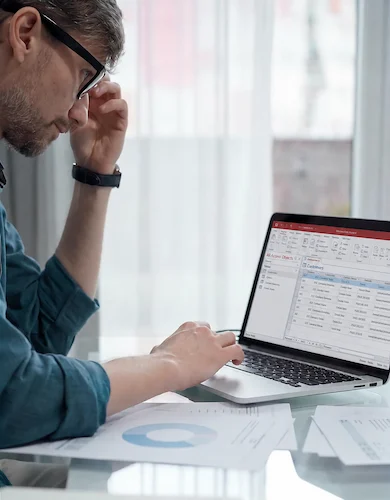
Is Your Access Database Becoming a Risk?
As your business grows and your data becomes more critical, the cracks start to show. If you’re noticing slowdowns, it may be time to take a closer look at the risks hiding beneath the surface.
Our Access Upgrade & Support Services
Instead of a one-size-fits-all approach, our services are designed as modular building blocks you can combine based on your needs.
Access Health Check & Risk Assessment
We review your tables, relationships, queries, forms, reports, VBA code, linked data sources, and user workflows. You receive a clear summary of risks, quick wins, and recommended upgrade options.
Database Repair & Stabilization
We help repair corrupted files, reduce recurring errors, improve backup readiness, and stabilize the database so your team can continue working while a longer-term upgrade plan is developed.

Performance Optimization
We streamline queries, restructure tables, and improve indexing to eliminate bottlenecks. The result is faster load times and a better experience for your users.

32-bit to 64-bit Migration Support
We identify and resolve 64-bit compatibility issues, including VBA API declarations, PtrSafe/LongPtr updates, ActiveX controls and third-party dependencies.

VBA Refactoring & Documentation
We clean up, simplify, and document your existing VBA code, so it’s easier to maintain. This reduces long-term risk and makes future updates safer.

Multi-User Setup & Backend Splitting
To improve stability, we restructure your database for multi-user environments—splitting front-end and back-end components, optimizing network usage, and reducing the risk of conflicts or data corruption.

Integration & Data Migration Services
We help connect your Access database to other systems or migrate your data to more scalable platforms like SQL Server when needed.

Ongoing Support & Maintenance
For peace of mind, we provide ongoing support to monitor performance, fix issues quickly, and keep your database running smoothly as your needs evolve.

Front-End Deployment & User Rollout
We help package and distribute updated Access front ends to users, manage version updates, and reduce the risk of users working from outdated copies.
Backup, Recovery & Version History Planning
We help define a safer backup and recovery process, so your team is not relying on a single fragile database file.

Legacy Format & Version Upgrades (MDB → ACCDB)
We modernize outdated file formats and bring your database in line with current Access versions. This helps your system run smoothly in modern IT environments.
Not Every Access Database Needs to Be Replaced
Not every Access database needs to be replaced. In many cases, the right solution is to stabilize the existing system, split the database, clean up VBA code, improve performance, and create a safer backup and support process. When Access has reached its limits, we help you plan a staged migration to SQL Server, Azure SQL, Power Apps, Dataverse, or a custom application.

Who This Is For
Our Access Upgrade & Support Services are for organizations that already rely on Microsoft Access and want to make their database safer, faster, and easier to maintain.
-

This service is for companies that use Access to manage invoicing, scheduling, customer records, inventory, job tracking, reporting, approvals, or internal workflows. If the database is part of your daily process, upgrading it can help reduce business disruption.
-

If your system was built years ago and still uses MDB files, old forms, legacy reports, or outdated VBA code, an upgrade can help bring it closer to current Microsoft 365 Apps, Office, and Windows environments.
-

Many Access databases are built for one department, such as operations, finance, HR, administration, sales, or project management. This service helps improve those internal tools without forcing a full software rebuild.
-

This service is a good fit if users are dealing with slow reports, long loading times, crashes, corruption, locking issues, or error messages. We help identify the root causes and recommend practical improvements.
-

If your organization is upgrading Microsoft Office, Windows, or Microsoft 365, older Access databases may require compatibility updates. We help review VBA code, references, drivers, and dependencies before they cause problems.
-

Some companies know their Access database needs improvement, but they are not ready to move everything to SQL Server, Power Apps, Dataverse, or a custom web application. An upgrade can be a practical step that reduces risk now while keeping future options open.
-

If your database was built by someone who is no longer available, or if no one fully understands how it works, this service can help document the structure, clean up the logic, and make the system easier to support going forward.
What You Gain After the Upgrade
Upgrading your Access database is not only about fixing technical problems. It makes future maintenance easier. Here’s what that looks like in practice:

Stability
A modernized and properly configured database can significantly reduce the risk of crashes and corruption. With improved structure and proper multi-user configuration, employees can work simultaneously with fewer conflicts.

Performance
An optimized Access environment means your data works at the speed your business needs. This enables quicker decision-making, as teams can access and analyze information in real time.
Maintainability
A clean, well-structured system is easier to manage. Refactored VBA code means future updates can be made without fear of breaking critical functionality. This reduces dependency on any single individual.

Scalability
As your business grows, your database should grow with it. Upgrades make it possible to support more users and larger datasets. They also allow your Access system to connect with other tools and evolve as part of a broader technology ecosystem.

Technical Expertise
Behind every stable, high-performing Access system is a deep layer of technical expertise. We bring hands-on experience across the full Microsoft data stack.
Our Clients












































































Common Upgrade Scenarios
If you’re unsure whether an upgrade applies to your situation, these common before-and-after scenarios can help you quickly identify where you stand.
| Current State | Recommended Upgrade | Business Result |
|---|---|---|
| Access 2003 MDB | Modern ACCDB |
Better compatibility with current Office versions |
| Single-file database |
Split front-end/back-end architecture |
Improved multi-user reliability |
| Local Access backend | SQL Server backend |
Better scalability and data protection |
| Legacy VBA code |
Refactored and documented VBA |
Easier maintenance and safer updates |
| Desktop-only setup |
SQL Server/Azure SQL backend or full web/Power Apps migration |
Better remote access and integration |
|
Slow reports and queries |
Query/index optimization |
Faster reporting and improved productivity |
|
Unknown database structure |
Health check and documentation |
Clear upgrade roadmap and reduced risk |
Our Upgrade Process
Our structured, six-stage approach ensures your system is carefully analyzed, safely upgraded, and fully validated before it goes live.

Discovery & Audit

Risk & Compatibility Analysis

Upgrade Strategy Roadmap

Refactoring & Migration

Testing & Validation

Deployment & Support

Access, SQL Server, and Microsoft 365 Integration Options
Access can often be improved by connecting it to stronger backend, reporting, or workflow tools. The right integration depends on your users, data volume, reporting needs, security requirements, and long-term goals.
Why Work With Us
Your Access database may look like a simple file, but it often contains years of business rules, custom reports, user habits, and operational knowledge. A careful upgrade protects that value while reducing risk.
We focus on practical solutions
We do not recommend a full rebuild when a focused upgrade is enough. Our goal is to improve the system in a way that matches your business needs, budget, and timeline.
We protect existing workflows
Access databases often support processes that users depend on every day. We review how the system is actually used so important forms, reports, and workflows are not overlooked.
We help reduce upgrade risk
Through backups, testing, documentation, and staged deployment, we help reduce the risk of data loss, broken functionality, and user disruption.
We support both Access improvement and modernization
Sometimes the right answer is to improve Access. Other times, the right answer is to move toward SQL Server, Power Apps, Dataverse, or a custom application. We help you choose the path that makes sense.
We make the system easier to maintain
By cleaning up VBA code, documenting key logic, improving structure, and clarifying dependencies, we make the database easier to support after the upgrade.
what our clients say about BSuite365?

I have been working with BSuite365 team on various projects over the last 4 years. It started with a complex mathematical problem and a simple spreadsheet. Their team always surprises me with their skills and passion for their work. They really work hard to ensure projects meet the business criteria and solve the business problems they need to. I will continue working with them to improve the business systems of our company.

Working with Sajad and his team at BSuite365 has been an easy and pleasant experience. The solution they built for us will save us dozens of hours of labour costs several times a year and has been well worth what we paid. I can easily recommend them and will not hesitate to work with them again in the future.

Sajad and his team have been extremely helpful in meeting our website needs. They listen to what your vision is and not only work around it, but help to flesh it out. I would highly recommend Sajad and BSuite365 to anyone with Technology needs.

At Persephone Brewing we utilize a number of systems to manage and report our data. BSuite365 System helped us streamline these processes by automating several business processes using our existing data sets saving us hundreds of hours a year at a very reasonable cost.
