Excel PowerPoint Automation Services

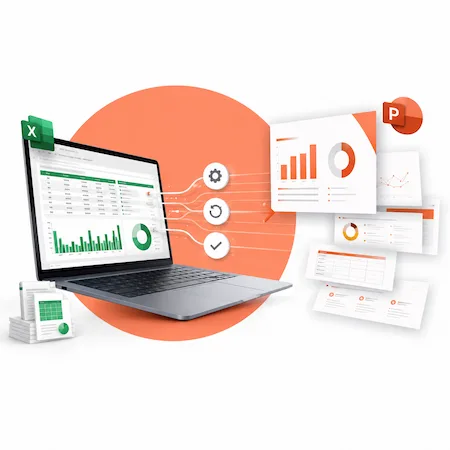
We help teams generate accurate, branded PowerPoint presentations from structured Excel data, reducing manual copy-paste work and improving consistency across recurring reports. This saves time, reduces reporting errors, and keeps executive, finance, client, and management presentations aligned with the latest data.

TRUSTED BY

Business Challenges We Solve

A lot of reporting problems don’t come from bad tools, but from having to manually move data between Excel and PowerPoint over and over again. These are the issues we see most often.

Teams often spend hours copying charts, tables, KPIs, and commentary from Excel into PowerPoint — only to repeat the same process when the data changes.
Manual updates make it easy for things to slip through. A chart might not match the latest data, a number gets updated in one place but not another, or an old slide accidentally stays in the deck. These are small mistakes, but they can hurt trust in the report.
Most recurring reports follow the same steps every time, yet they still require a lot of manual effort. Skilled analysts and managers end up spending hours on formatting and updates instead of reviewing results or making decisions.
Because updates take so long, presentations are often finished right before a meeting—or even after. In some cases, the data is already outdated by the time the slides are shared, which defeats the purpose of reporting in the first place.

Our Excel–PowerPoint Automation Services

Depending on your reporting workflow, we can build one-click report generators, branded PowerPoint templates, and Microsoft 365-based distribution processes.

Automated Slide Creation from Excel Dashboards

We build workflows that generate PowerPoint slides from structured Excel dashboards, tables, charts, and KPI ranges. Instead of starting from a blank deck each time, the presentation is generated using your existing data structure.

Dynamic Updates for Charts, Tables, and Text

Depending on the setup, PowerPoint slides can be refreshed from Excel using linked charts, VBA-driven updates, or controlled refresh workflows. We design the workflow so that updates are appropriate for your environment.

Branded PowerPoint Templates That Stay Consistent

We apply your PowerPoint templates so fonts, colors, and layouts stay consistent every time a deck is generated. This removes the need to fix formatting after the fact and keeps presentations aligned with brand standards.

Recurring Executive or Client Reporting

For weekly, monthly, or quarterly reports, automation takes care of the heavy lifting. Reports can be regenerated on demand, making it easier to respond to last-minute requests without rebuilding everything from scratch.
Custom Dashboards and KPI Presentations

We also help turn Excel-based KPIs into clear, repeatable PowerPoint presentations. The focus is on making results easy to read and reuse, rather than creating one-off decks that can’t be updated later.

Our Clients

goverment-of-canada
ocwa
the-jim-pattison-group
ch-groupe

Automation Capabilities

We specialize in practical Excel and PowerPoint automation for real business reporting environments — including complex workbooks, recurring executive decks, branded templates, and Microsoft 365 workflows.

Up-to-Date Excel-Driven Slides

Slides can be refreshed from Excel so charts, tables, and key values reflect the latest approved data. Depending on the workflow, updates can be triggered manually, on file open, through a macro, or through a Microsoft 365 automation process.

Chart Setup and Refresh Options

We help identify the best way to manage charts in your reports, whether they should refresh from Excel, stay fixed in PowerPoint, be copied as images, or be recreated during each reporting cycle. This ensures the right balance between easy updates and version control.

Multi-Deck Updates

If the same data appears in multiple presentations, we can design a controlled process to refresh multiple decks from the same source. This helps keep different versions of reports consistent and avoids situations where one deck is updated, and another is missed.

Dynamic Content Rules

Slides can change based on the data itself—for example, highlighting certain values, showing or hiding content, or adjusting text when thresholds are met. This makes reports easier to scan.

Template-Based Generation

Presentations can be generated from templates on a regular schedule or on demand. This keeps layouts consistent while still allowing the data to change, which is especially useful for weekly or monthly reporting.

Data and Slide Mapping

For automation to work smoothly, each piece of data needs a clear destination. We help organize Excel ranges, tables, charts, KPI cells, and PowerPoint placeholders so the right information appears in the right place on every slide.

Microsoft 365 Integration

Automation can work alongside tools teams already use, like Teams, SharePoint, and Outlook. This makes it easier to store files, share updates, and distribute reports without adding new systems or extra steps.

Technology Stack

We choose the technology based on where the report needs to run: desktop Excel and PowerPoint, SharePoint/OneDrive, Teams, or a hybrid Microsoft 365 environment.

Excel VBA

Used to control and automate complex Excel logic, especially in existing workbooks that already rely on macros. This is often the most practical option for teams with established Excel-based reporting.

Desktop vs Cloud Workflow Planning

Advanced slide automation often runs best in desktop Office, while Microsoft 365 handles cloud workflows, approvals, notifications, and file management.

PowerPoint VBA

Allows slides, charts, and layouts to be created and updated programmatically. This is what makes repeatable, data-driven presentations possible without manual edits.

Office Scripts

A more modern alternative for Excel automation in Microsoft 365. Useful for cloud-based Excel-side workflows where files live in SharePoint or OneDrive and need to run without someone opening them.

Power Automate

Handles workflows around the automation, such as triggering report generation, moving files, or sending notifications when reports are ready.

Microsoft 365 Ecosystem

All automation is designed to work within Microsoft 365 tools teams already use, so reporting, storage, and sharing stay connected and familiar.

Not sure whether your report can be automated?

Our Automation Process

We follow a straightforward process that focuses on how your reports actually work today, not how they look in theory.

1

Discovery

We start by understanding how your current reporting process works, where the manual effort is, and what’s causing the most frustration.

2

Excel Data Review

We look at the Excel files that drive your reports to make sure the data is structured in a way that supports automation.

3

Template Design

PowerPoint templates are set up or refined so slides follow your branding and layout standards.

4

Automation Build

Based on the setup, we build the automation using VBA, Office Scripts, Power Automate, or a combination of tools.

5

Testing

Reports are tested against real data to make sure numbers, charts, and layouts update correctly.

6

Deployment & Documentation

We deliver solutions that your team can actually run and reuse. Documentation is included so future updates don’t depend on guesswork or tribal knowledge.

7

Support & Optimization

After delivery, we help with fixes, improvements, and adjustments as reporting needs change over time.

Use Cases by Function

These are common ways different teams use Excel–PowerPoint automation in day-to-day work.

Executive & Management

  • Board decks
  • Monthly KPI packs
  • Strategy scorecards
  • Department performance reviews

Finance & Operations

  • Budget vs. actual decks
  • Forecast updates
  • Monthly close presentations
  • Operational performance summaries

Sales & Marketing

  • Pipeline reviews
  • Campaign performance decks
  • Territory reports

  • Client-facing sales presentations

industry section bg 1

Save Time

Automating repetitive updates can save hours each week that would otherwise be spent copying data, fixing charts, or rebuilding slides.

Fewer Errors

When slides update directly from Excel, there’s less chance of mismatched numbers or outdated visuals slipping into reports.

Faster Turnaround

Reports can be updated and shared much more quickly, even when changes come in late or close to deadlines.

Consistent Presentations

Using the same templates and automation rules helps keep presentations looking professional and consistent across teams and time periods.

Scalable Workflows

Once automation is in place, it can be reused for new reports or expanded as reporting needs grow, without starting from scratch.

Better Decision Support

Up-to-date data makes it easier for leaders to trust the numbers and focus on decisions instead of questioning the accuracy of the slides.

Editable Slides

The output is still a normal PowerPoint file, so teams can make manual tweaks when needed without breaking the automation.

Microsoft 365 Integration

Everything works within Excel, PowerPoint, Teams, SharePoint, and related tools, avoiding the need for new platforms or custom viewers.

Enterprise-Ready

For larger organizations, automation can be designed around existing Microsoft 365 permissions, SharePoint/OneDrive storage, controlled templates, documentation, and approval workflows.

Built for Business Use

For larger teams and organizations, we can design automation around your existing Microsoft 365 setup, including permissions, SharePoint or OneDrive storage, approved templates, documentation, and review workflows.

Benefits of Excel–PowerPoint Automation

The value shows up in a few different ways, from day-to-day time savings to longer-term improvements in how reports are created and used.

Ready to automate your Excel-to-PowerPoint reporting?

Send us one of your recurring reporting workflows or book a short consultation. We’ll review how your Excel data, PowerPoint template, and reporting process work today, then recommend the most practical way to automate it.

Why Choose Us

We focus on building automation that’s actually useful day to day, not just impressive in a demo.

Deep Excel & PowerPoint Expertise

We understand the realities of Excel-based reporting: inconsistent workbook structures, last-minute data changes, and presentation templates that need to stay editable.

Business-First Approach

The goal isn’t automation for its own sake. We start with what the business needs to deliver—reports, decks, and updates—and design solutions around those outcomes.

Maintainable Workflows

Automation is built to be reused and adjusted over time. As reports change or new ones are added, the workflows can scale without needing a full rebuild.

Documentation & Training

Clear documentation and walkthroughs are included so your team understands how everything works and isn’t left guessing after handoff.

Confidentiality & Compliance

We work with sensitive business data and follow enterprise standards for security, access control, and confidentiality throughout the project.

Engagement Models

We offer a few ways to work together, depending on the scope of automation and how ongoing your reporting needs are.

Project-Based Automation

Best for automating a specific report or workflow. We focus on one clear use case, build the automation, and deliver something your team can start using right away.

Recurring Reporting Automation

Designed for teams that produce dashboards and presentations on a regular schedule. Automation is set up to handle ongoing updates, making repeat reporting faster and more predictable.

Most Popular

Enterprise Automation Programs

For larger organizations with multiple teams or departments. These engagements focus on standardizing and scaling automation across workflows, while still allowing for flexibility where needed.

Custom Development & Consulting

When requirements don’t fit neatly into a predefined model, we work with you to design and build tailored automation solutions based on how your reporting actually works.

Reporting Automation Assessment

Best for teams that are not sure what should be automated first. We review your Excel files and Microsoft 365 environment, then recommend the most practical automation roadmap.

FAQs

Not necessarily. VBA is often best for desktop-based Excel and PowerPoint automation, especially when detailed slide control is required. Office Scripts and Power Automate are useful for Excel-side automation and cloud workflow orchestration. In some cases, a hybrid approach is best.
Yes. Large datasets usually stay in Excel, as long as they remain within Excel’s compatibility and performance limits. PowerPoint then pulls in summaries, charts, KPI values, or key tables. This keeps the deck responsive while still reflecting the detailed data maintained in Excel.
Yes. The output is a standard PowerPoint file. You can edit text, adjust layouts, or make last-minute changes without breaking the automation.
Simple workflows can take a few weeks. More complex or enterprise-wide solutions take longer. Timing mostly depends on report complexity and how clean the source data is.
We include review and refinement cycles as part of delivery. The exact number depends on project scope, but the goal is to make sure the automation works as expected before handoff.
Yes. Ongoing support is available for fixes, updates, and improvements as reporting needs change over time.
Yes. Automation is built within Microsoft 365 environments and follows enterprise security, access control, and governance requirements.
Any industry that relies on recurring reports benefits, including finance, operations, consulting, sales, healthcare, and corporate teams.
Yes. Templates, layouts, fonts, and colours are applied so presentations follow your branding standards every time.
The first step is a short conversation to understand your current reporting process and where automation would help most. From there, we outline a clear and realistic next step.
Yes. In most cases, we can work with your current Excel workbooks, formulas, dashboards, and PowerPoint templates. If changes are needed, we identify them during the review stage and recommend only what is necessary to make the workflow reliable.
Not always. Many automation projects can start with your existing files. However, if the workbook structure is inconsistent or the PowerPoint template is difficult to automate, we may recommend improvements before building the final solution.

Contact us

Contact us today at and speak with our specialist.